Recipe Sheet Blank Recipe Pages KDP Interior Solution
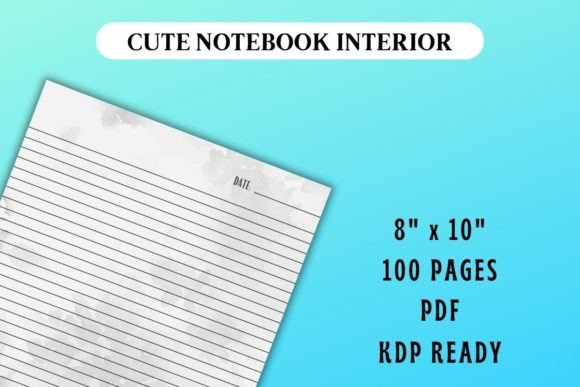
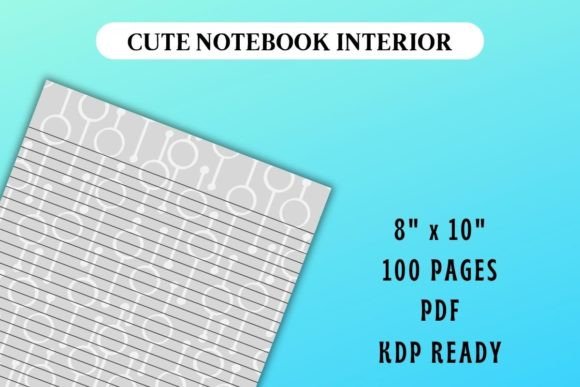
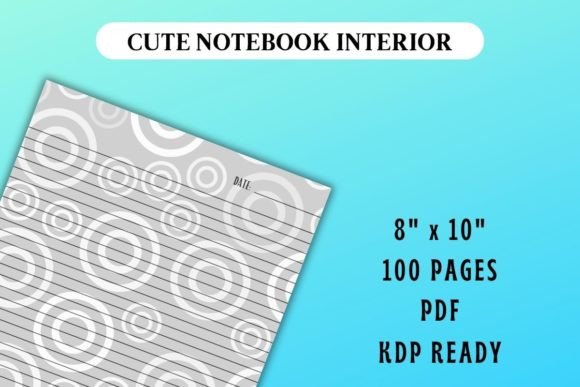
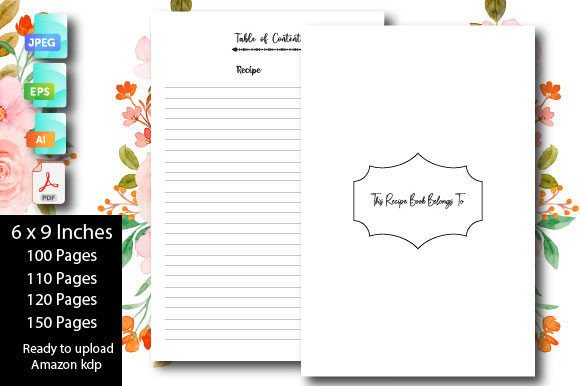
Anyone who has tried to create a printable recipe book from scratch knows how much time goes into margins, page dimensions, and bleed settings. Blank recipe page interiors designed specifically for Amazon KDP take that frustration off your plate. These are digital files — a set of clean, unpopulated recipe sheets — formatted at 6×9 inches with no bleed, ready to become the heart of a cookbook, a meal planner, or a family keepsake. Instead of designing from zero, you get a print-ready PDF, high-resolution JPG single pages, and editable AI or EPS versions bundled into one immediate download. The page count options (100, 110, 120, and 150 pages) let you match the skeleton of a project to exactly how many recipes you want to include, without paying for pages you will not use or scrambling to pad a short manuscript.
What makes these recipe sheets different from a generic notebook page is their purpose-built structure. Each PDF file has been quality checked on Amazon KDP, so you are uploading something that already respects the platform’s interior file requirements. Because there is no bleed, you do not need to worry about content getting clipped during printing — a detail that trips up many first-time publishers. The download contains four ready-to-use PDFs, each with a different page count, so you can launch several book lengths or test what feels right for your audience without editing a single line of code or resizing a canvas.
Who Cares About Pre-Formatted Recipe Book Interiors?
Understanding why different people reach for a blank recipe page template helps clarify where its value really sits. A beginner publishing their first family cookbook wants certainty. They might not even know what “no bleed” means, and they should not have to. They simply need a file that their KDP dashboard accepts on the first try. For this person, the fact that each PDF is already 6×9 inches with the correct margin and resolution removes the guesswork and the fear of rejection.
An experienced KDP creator or a small business owner who sells journals and log books takes a more practical view. Their priority is turnaround time and cost efficiency. They might already have a cover design ready and dozens of interior types. For them, dropping in pre-tested recipe sheets means they can go from concept to live listing in a single afternoon, reusing the same trusted foundation for multiple low-content books. Flexibility matters too: the AI and EPS files let them customize typography, add a logo, or introduce light prompts while preserving the core clean layout.
A nutrition educator or a culinary instructor approaches the same product with a completely different lens. They may print the pages for workshop handouts, or they may upload a custom PDF to KDP to create a branded workbook for clients. The 100‑page version could hold a 12-week meal mapping journal; the 150‑page option might become a year-long recipe diary for a cohort. Because the JPEG pages are also included, they can easily pull single sheets into a presentation or a digital course without converting files.
A hobbyist who wants to preserve handwritten family recipes often values the ability to print high-resolution pages at home or at a local copy shop, then bind them into a personalized gift. The purchase is not about commercial gain; it is about presentation, durability, and the satisfaction of giving something that looks polished without hiring a designer.
Why 6×9 Inches and No Bleed Are Practical Choices
The 6×9 trim size is one of the most widely accepted formats across KDP’s paperback distribution network. It feels like a traditional cookbook or journal, and readers are comfortable with its proportions. The no-bleed specification means your text and any decorative borders can safely stay within the printable area. You do not need to extend background images past the trim edge — a common source of file rejection. This is especially helpful if you are adding slightly decorated margins or subtle corner graphics; everything remains intact and gets printed exactly where you place it.
Multiple page counts — 100, 110, 120, and 150 — address the real challenge of matching book thickness to content expectations. A 100‑page recipe book feels substantial but not overwhelming for a themed collection like “30 Quick Weeknight Dinners.” A 120‑page or 150‑page version gives breathing room for photos, notes, or category dividers. The fact that you get all four PDFs in one download means you can experiment, or even release a series with different lengths, without repurchasing files.
How Different People Put the Same Pages to Work
Consider a food blogger who has been sharing recipes online for years and finally wants to compile a physical book. She downloads the blank recipe sheet interior and, because she is comfortable with design, she opens the AI file to tweak the header and add her website URL subtly to each page. She uses the 150‑page PDF to accommodate not just recipes but also cooking tips, pantry lists, and a conversion chart. The final upload passes KDP’s review automatically because the bleed and size are already correct.
Now imagine a teacher running a community cooking class. She needs a simple printed handout for each student to record the day’s recipe and their own modifications. She pulls the JPEG single pages, drops them into a word processor, and prints exactly the number of sheets she needs. She does not open a PDF editor and does not worry about formatting; the page dimensions are already 6×9, so they fit comfortably in a three-ring binder. The quality check that the product underwent on Amazon KDP means the graphics, however minimal, stay crisp when printed on standard laser printers at her school.
A different scenario: a retiree documenting his grandmother’s baking recipes for his grandchildren. He does not want to sell the book — he just wants a keepsake that won’t yellow or fall apart. He uses the KDP-ready 110‑page PDF, types the recipes directly into a PDF editor over the blank sheets, then orders a single author copy through KDP. The result is a genuine paperback book for under a few dollars, something that would cost ten times more through a custom print shop. The low-effort nature of the project matters profoundly here, because the technology should not stand in the way of preserving a story.
Evaluating Quality, Format, and Long-Term Usefulness
Several practical criteria come up repeatedly when users assess a digital interior bundle like this. Resolution and reliability top the list for anyone uploading to KDP — the files are high-resolution and seller-tested, so you avoid the “blurry interior” complaint. File versatility (AI, EPS, JPEG, PDF) means the purchase stays useful even if your workflow changes, or if you decide years later to adapt the sheets for a coil-bound print version outside of KDP.
Cost and speed are intertwined. There is no unit cost per page, no recurring subscription, and no waiting for custom design work. The download is instant. That immediacy matters to freelancers who need to deliver a book mockup quickly, and to small publishers who run lean operations. Meanwhile, ease of use means that even someone who has never opened Adobe Illustrator can use the PDF or JPEG files immediately. The editable formats are there for those who want them, but they are not required.
Choosing the Right Page Count for Your Project
Selecting between 100, 110, 120, and 150 pages is less about the number and more about the reading experience you want to create. A thinner 100‑page recipe journal feels light and accessible, ideal for a gift book where every page is a single recipe with minimal note space. The 120‑page option works well for a hybrid book that pairs recipes with weekly meal planning grids — enough room for about 50 recipes plus supporting sections. The 150‑page version is the safest choice for a comprehensive cookbook that includes a table of contents, an index, detailed instructions, or reader engagement prompts. Because you have all four PDFs, you can start with the shorter count for a proof copy, then scale up if you find the content expands.
No‑bleed design empowers you to add interior elements later without recalculating safety zones. Whether you keep the sheets completely blank or add a subtle ingredient graphic along the bottom edge, the file remains KDP‑compliant. This matters equally to a micro-business owner testing a niche recipe journal market and to a parent building a one-of-a-kind wedding gift cookbook compiled from friends’ contributions.
Making Publishing Accessible Without Lowering Standards
The underlying value of a well‑prepared blank recipe page interior is that it bridges the gap between having an idea and holding a finished book. Publishers who have been burned by “print ready” files that failed KDP inspection will appreciate that these pages have already passed a quality check. Beginners who do not know where to start can simply upload a PDF and add a cover. Creative professionals can take the editable vectors and craft something highly personalized. In each case, the foundation is the same: a correct, clean, and adaptable scaffold that turns a collection of scattered recipes into something tangible.